

Studio
$29/ month
Small agencies running ongoing client work
- 25 clients
- 100 projects
- 10 GB storage
- 300 AI actions/mo

Project management for agencies and their clients
Website: worktogethr.com
2 builders vouch
Human-reviewed listing · No account needed to visit
 Worktogethr
It's really a good tool. It organises all of my work stuffs at a single place. Such a helpful tool. u can also try this, it will helpful for u too surely...🙃
The constant jumping between project tools, chats, documents, spreadsheets, links and file folders just to understand one project.
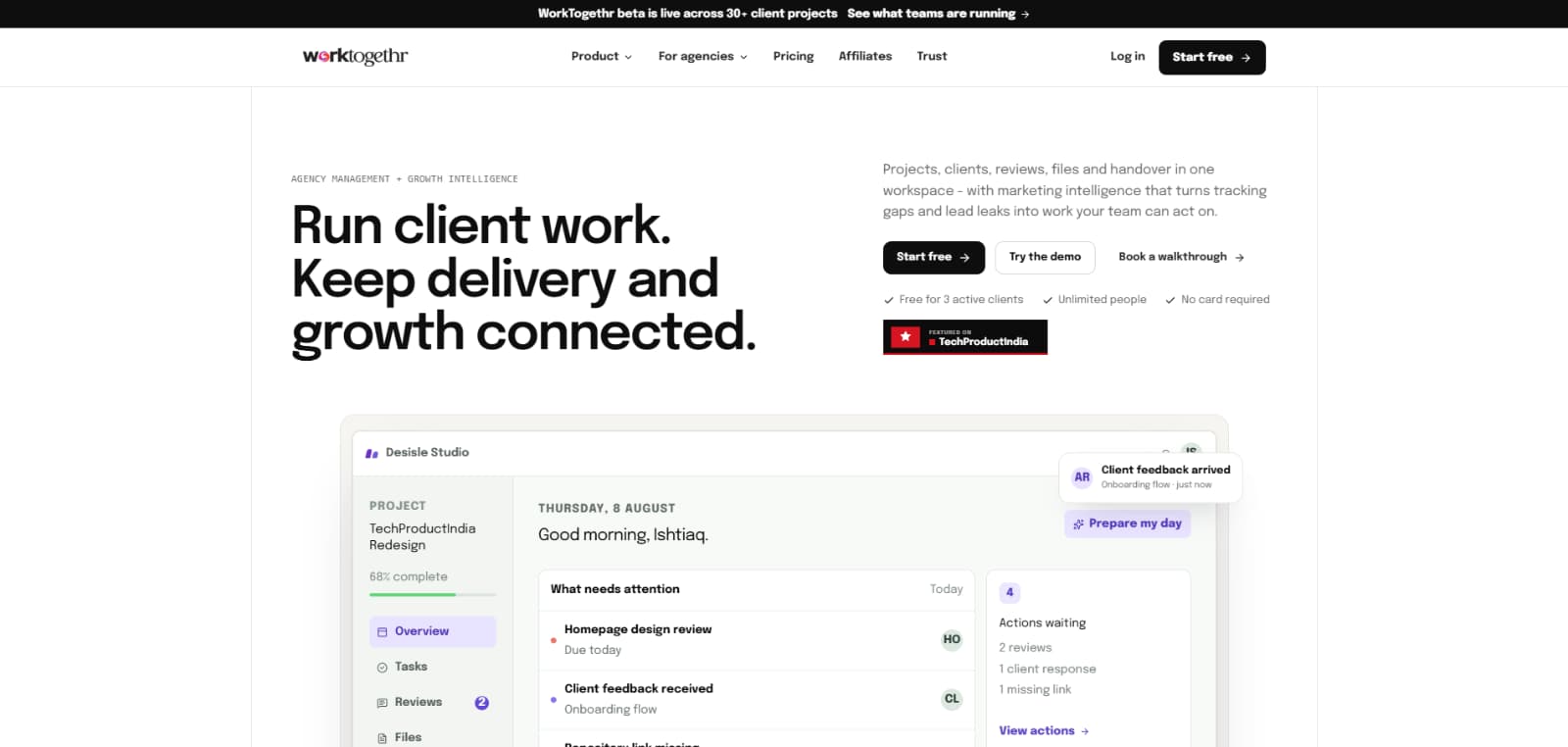
WorkTogethr is built primarily for client-service agencies and studios that manage multiple projects and need both their team and clients involved in the work. Best fit: - UI/UX and product design agencies - Web and software development agencies - SaaS design and development studios - Creative agencies - Marketing agencies - Product studios - Small and growing client-service teams - Agencies working with multiple stakeholders per client - Teams running recurring projects or retainers
Most project-management tools organise the tasks. WorkTogethr organises everything around the project. Inside the same project, an agency can manage: - Tasks and progress - Team and client conversations - Design and development reviews - Stakeholder voting and feedback - Notes - Structured tables - Reference links - Files and documents - Decisions and approvals - Final project handover And because that context is connected, WorkTogethr AI can do more than generate generic text—it can help identify what needs attention, summarise feedback and turn project information into next steps.
Tasks, reviews, conversations, notes, tables, references, files and handover stay organised around the project instead of living in separate tools.
Get role-aware daily briefings, turn meeting notes into tasks, summarise feedback, draft proposals and client updates, and ask questions about the work you are allowed to see.
Every client gets their own login where they can see their projects, collaborate with the agency, review work and return to final deliverables.
Share multiple options or versions, collect stakeholder votes and comments, request changes and preserve the final approval in one workflow.
Keep final files, source files, repositories, live links, documentation, credentials and important project information available from the client portal.
Create structured tables for content calendars, QA trackers, asset lists, campaign plans, research or any information that does not fit neatly inside a task.
Save project-filtered notes, useful references, documents, resources and links instead of losing them across tabs, chats and folders.
CRM, proposals, contracts, testimonials, portfolio links, performance reviews, HR workflows, hiring and internal resources are available within the wider agency workspace.
$29/ month
Small agencies running ongoing client work
$79/ month
Growing agencies with more clients and workflows
$199/ month
Larger agencies running significant operations through WorkTogethr
Pricing is set by the maker. Confirm current details on their website before purchasing.
From the maker
I built WorkTogethr because I was tired of running projects where the project itself was in one tool, but everything that actually made the project move was somewhere else. Tasks were in the project-management tool. Client feedback came through WhatsApp or email. References were sitting in browser tabs. Notes were in Docs. Trackers were in Sheets. Files were in Drive. And when the project ended, the handover became another folder someone had to find six months later. The problem wasn't that we didn't have enough tools. We had too many places holding different parts of the same project. So I started building the workspace I wanted my own agency to have: one project where the team can work, the client can participate, every decision stays connected and the final handover doesn't disappear. AI made that idea even more useful. Once the project context is actually together, AI can tell you what needs attention, summarise what the client said and help turn conversations into action.

Ishtiaq Shaheer · @ishtiaqshaheer
Indian alternative to:AsanaClickupMicrosoft AzureMonday
5.0·2 reviews
Ask the maker a question or share how you use it. For a star rating and verdict, leave a review above.
 LancerFlowCRM, projects and invoices for freelancers, in one simple placeProject ManagementPaid plansVisit site
Discover more Indian products
Get a weekly pick of new tools worth trying - no spam, unsubscribe anytime.
For makers
Your product deserves a page like this.
Free listing, human-reviewed in 24 hours, every visitor we send you counted on your dashboard.